Four formats
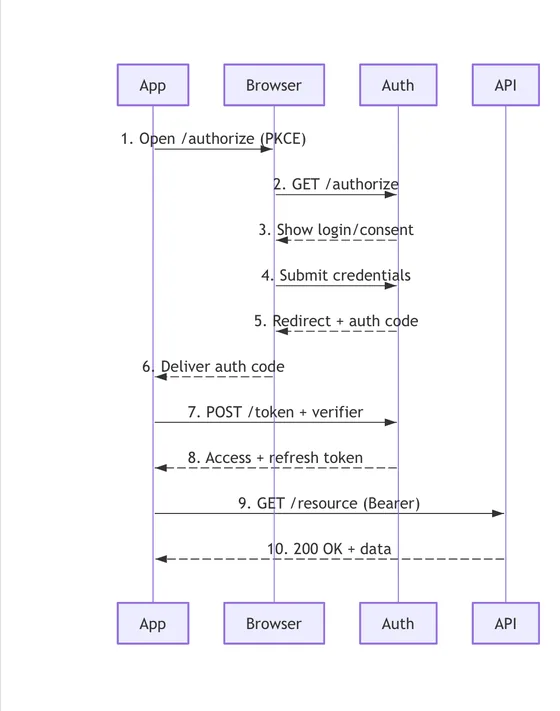
Mermaid, PlantUML, D2 and Graphviz DOT. The format is detected from the content, so pasted code renders without picking one first.
Diagram as code studio
Diagrammar renders Mermaid, PlantUML, D2 and Graphviz DOT as native views on iPhone, iPad and Mac. No WebView, no JavaScript runtime, no network. Viewing every format is free.

Four formats 27 templates Works offline
The problem
Diagram code is plain text, so every Apple device happily shows you the source and none of them show you the diagram. The viewer apps that do exist handle Mermaid only, and most of them are a browser engine in a trench coat: they need a network, they break when the bundled JavaScript goes stale, and they look nothing like the tool that produced the file.
Mermaid, PlantUML, D2 and Graphviz DOT. The format is detected from the content, so pasted code renders without picking one first.
A clustered graph keeps its clusters instead of collapsing into a tangle of crossed lines, and a wide diagram stays wide.
Everything renders on your device, so there is nothing to download and no request leaving your phone.
Formats
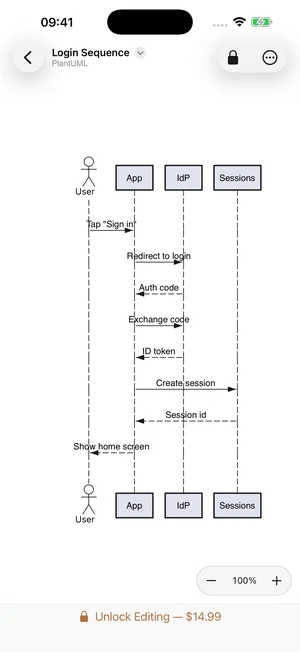
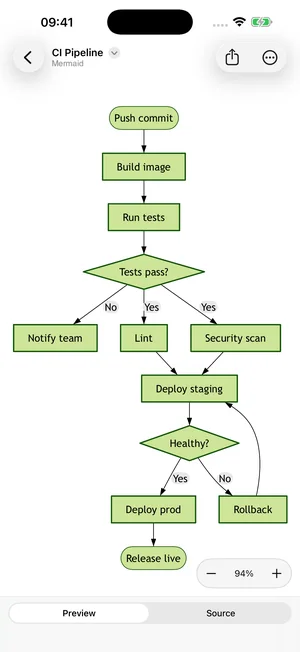
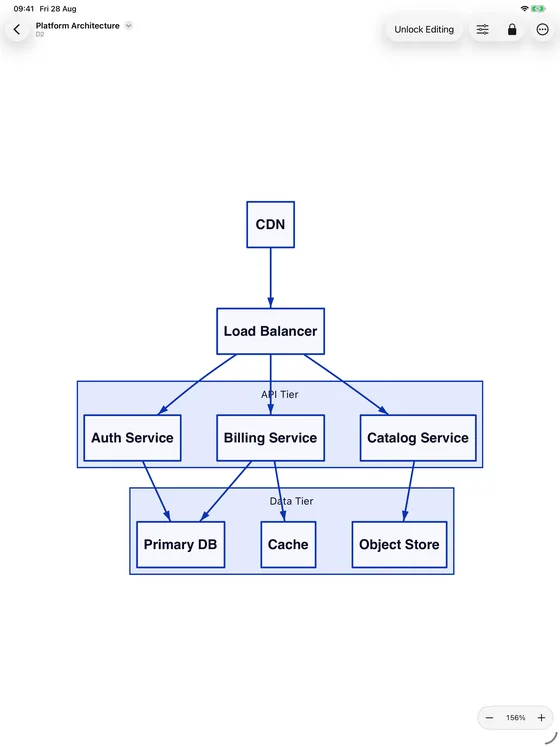
Every format gets its own grammar, and each renders in the theme palettes you already recognise from the desktop tools.
Flowcharts, sequence diagrams, state machines, class and ER diagrams, git graphs and mindmaps. The official Forest, Neutral and Base theme palettes are here, so the colours match the ones your docs already use. Chart shaped types such as pie, Gantt, timeline and radar are drawn as real charts, not pictures of charts.
Sequence diagrams, class diagrams with inheritance and composition, activity diagrams and use case diagrams, drawn in PlantUML's own default and dark themes.
D2's nested containers stay nested, along with styled shapes, database tables and classes. Multi tier architecture diagrams keep their grouping instead of collapsing into a flat graph.
Pipe terraform graph into a file and open it on your iPad. Clustered graphs keep their clusters, and you can switch the layout to see the same graph arranged several different ways.
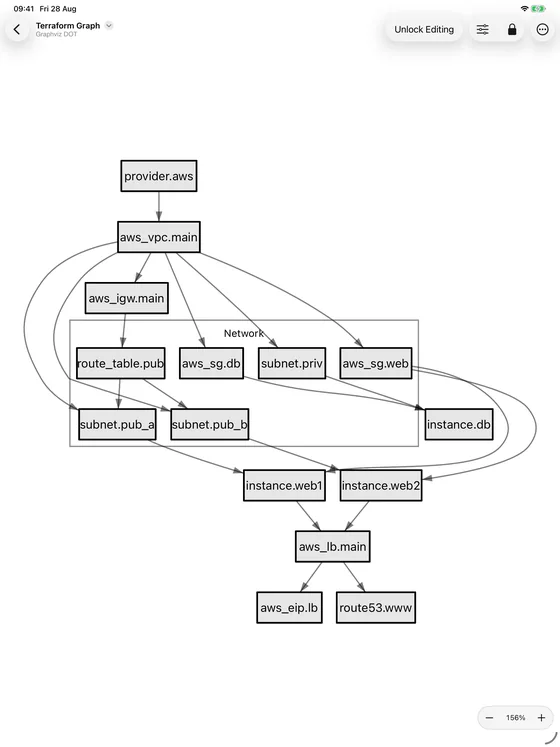
Someone sends you a diagram file. You open it on the train, with no signal, and every node, edge and label is there, laid out and legible.
What you get
Markdown mode renders an entire .md file with every fenced mermaid, plantuml, d2 or dot block drawn inline, prose in between, exactly where the author put it. Tap any diagram to open it full size.
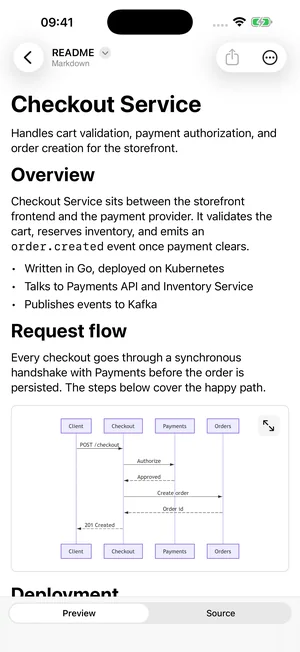
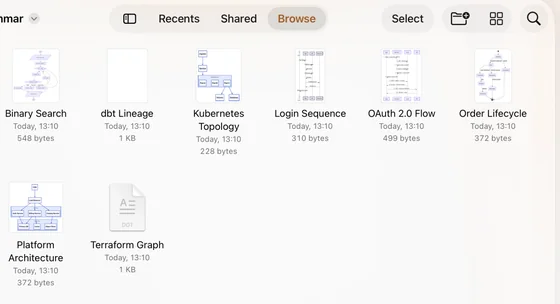
Diagram files show a rendered thumbnail of the actual diagram wherever files are listed, so a folder of .mmd and .dot files stops being a wall of identical text icons. On the Mac you get full Quick Look from the Finder as well. Both are free.
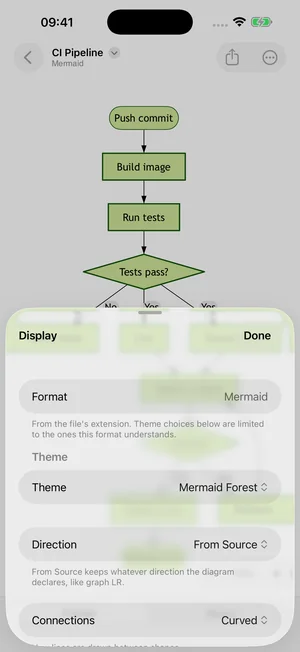
Change flow direction, edge routing and layout algorithm from one sheet and watch the diagram re lay out. The same source becomes a top down flow or a left to right one, with orthogonal or curved connections, without editing a line.
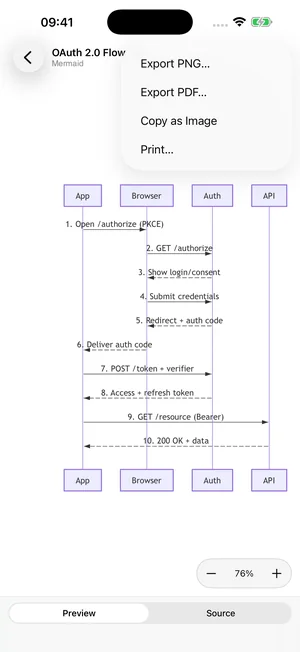
Export PNG or PDF, print, or copy the rendered diagram straight to the clipboard for a ticket or a slide. Select diagram code in any other app and the share sheet renders it without opening Diagrammar and finding the file first.
How it works
From Files, iCloud Drive, a share sheet or the Finder. Or start from one of 27 templates covering all four formats.
The format is detected from the content, then parsed and laid out on your device. Nothing is sent anywhere.
Pinch and pan, tap a node, switch the layout, then export a PNG or PDF when someone needs a picture instead of a file.
Pricing
There is no paywall between you and a diagram someone sent you. Charging someone to look at a file they did not ask for would sell nothing and help no one.
Everything you need to read a diagram anyone sends you.
No account and no trial timer.
For the times you are writing the diagram, not just reading it.
One time purchase. It does not renew.
Questions
No. Diagrammar reads the diagram source and lays it out with a real layout engine, then draws it directly on screen. There is no WebView, no JavaScript runtime and no bundled browser anywhere in the app. That is why it opens instantly, works with no signal and never shows you a half loaded diagram.
Mermaid is one of four formats. Diagrammar also opens PlantUML, D2 and Graphviz DOT, each with its own layout engine. If you only ever open Mermaid files, other apps will serve you. If you have a .puml or a .dot sitting in a repo, this is the only native option.
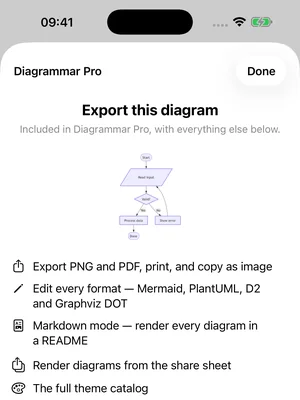
Viewing is free and always will be. Every format opens, renders, pans, zooms and shows rendered thumbnails in Files at no cost. Pro unlocks authoring: editing every format, PNG and PDF export, printing, Markdown mode, the share extension and the full theme catalogue.
No. Diagrammar Pro is a one time purchase of $14.99. There is no subscription, no account to create and nothing that expires.
Yes. Everything renders on device. Nothing is sent to a server, so a runbook opens on a plane, in a datacentre or at 3am on a train exactly as it does at your desk.
No. Diagrammar is a native rewrite rather than the original renderer ported over, so type, spacing and some styling will differ from mermaid.js or PlantUML, and a few format specific constructs are still unsupported.
What it does guarantee is structure. Every node, edge, label and relationship is preserved, and layout runs through a real layout engine. Theme palettes are supported, so Mermaid Forest reads as Mermaid Forest. Malformed source produces a readable error with the line number instead of a blank screen. And because viewing every format is free, open your own files and judge for yourself before spending anything.
Yes, from one app covering iPhone, iPad and Mac, with one purchase for all three. On the Mac you also get system wide Quick Look, so diagram files preview from the Finder without opening the app at all.
Flowcharts, sequence diagrams, state machines, class diagrams, ER diagrams, git graphs and mindmaps, plus D2 containers and clustered Graphviz graphs. Chart shaped Mermaid types, meaning pie, Gantt, timeline, xychart, quadrant, radar and journey, are drawn with real axes and scales.
Wherever you already keep them. Diagrammar opens plain text files straight from Files and iCloud Drive. It stores nothing of its own, so your diagrams stay in the formats and folders you use now, readable by every other tool you own.
Neither ships today. The groundwork is in place and the platform is planned for a later release. Apple Watch is not planned, because a diagram that fits on a watch is not usually worth drawing.
Silkway Studio, a small studio building native software for Apple platforms. Diagrammar is powered by DiagramKit, the studio's diagram rendering SDK, which is also licensed to other developers.
Get Diagrammar
Free on iPhone, iPad and Mac. Every format renders without paying anything, so you can check your own diagrams before you decide about Pro.
No account No network required One time purchase for Pro
iPhone, iPad and Mac · iOS, iPadOS and macOS 26.5 or later.